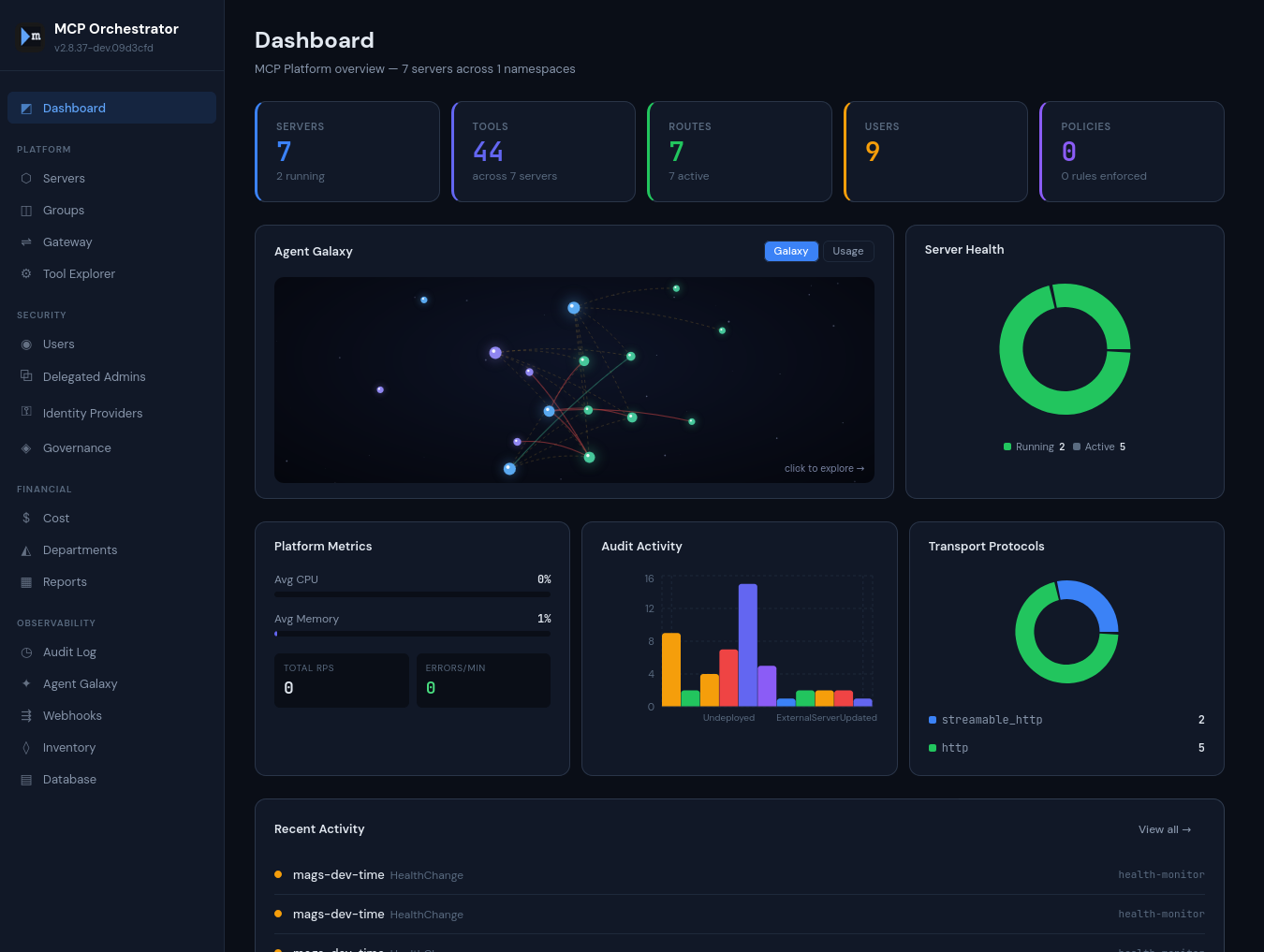
Now available — v3.3.10
NEW: Data reach of agents

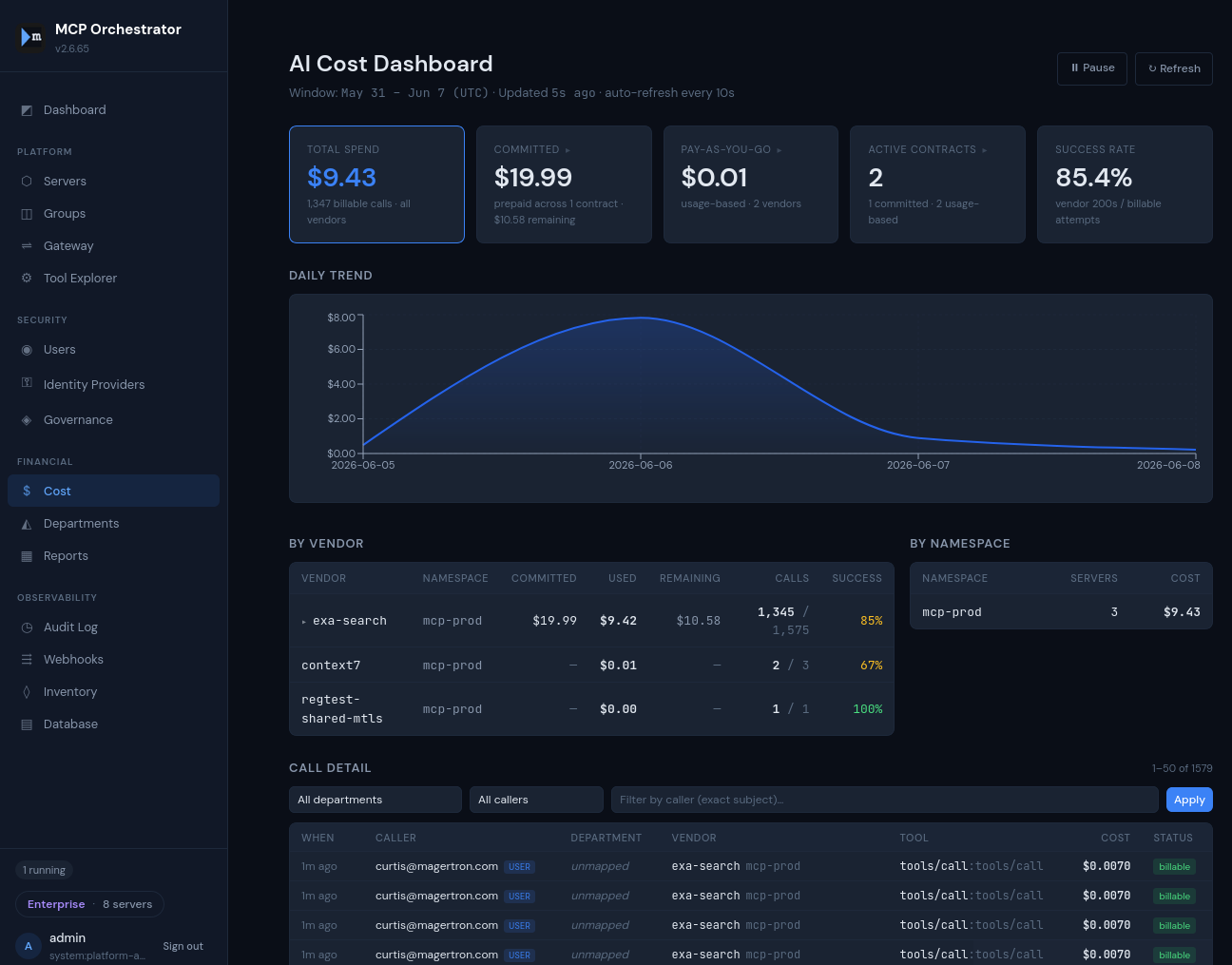
The AI spend control plane
for enterprise agents

Your agents call tools. Those tools touch data. Magertron governs both — and knows which tool touched which table, for whom, and what it cost. One gateway for model inference and tool calls across every vendor.

OSS Free up to 20 servers — no signup, no credit card.

AI Orchestrator Assistant Advisory · read-only · grounded in live platform state
Install in 5 minutes
$ git clone https://github.com/magertron/orchestrator.git
$ cd orchestrator
$ ./install.sh                                  # Free tier — no license needed
$ ./install.sh --license /path/to/license.json  # With a license
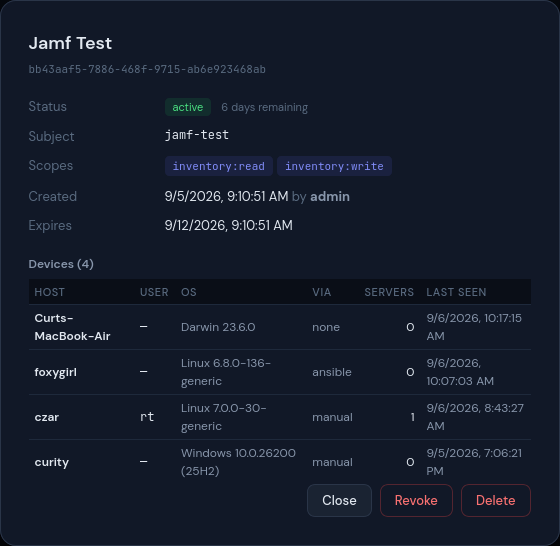
Rogue MCP servers are already inside your network

Developers are spinning up ungoverned MCP servers on laptops, in personal cloud accounts, and inside your perimeter — with no audit trail and no controls. AI agents talking to these servers can execute actions at scale.

Read the security guide →
THREAT VECTOR 01
External AI agents
AI agents outside your perimeter reaching ungoverned internal MCP servers. Perimeter firewalls catch these — but only if the agent actually crosses the perimeter, and only if the MCP server is registered as a public service.

Every model and tool call. One policy plane.

Internal MCP servers

MCP servers run as pods in your cluster. Traffic stays inside your network.

LLM providers

Anthropic, OpenAI, or your own model pods — registered as governed endpoints. Every inference call is metered, charged back, and budget-capped, with provider keys held by Magertron, never the agent.

External MCP servers

SaaS or cloud-hosted MCP servers, registered in Magertron and governed by the same policies as your internal servers.

Full lifecycle control for every server you run

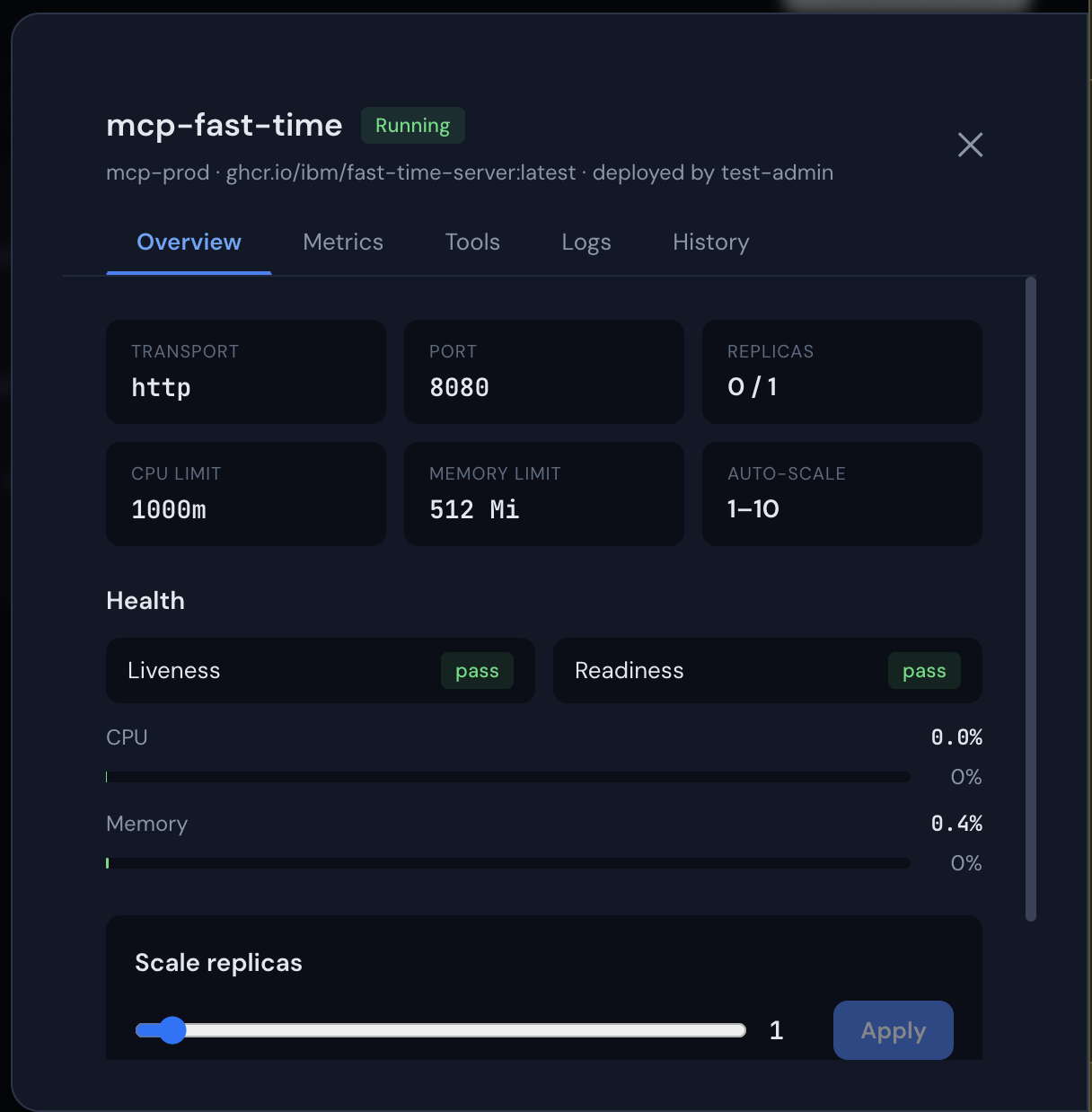
Deploy MCP servers and LLM pods from any container image, monitor real-time CPU and memory metrics, and scale with a slider. Every action is audited.

  • Live metrics charts polling every 5 seconds
  • Real pod logs from Kubernetes API
  • One-click rollback from deployment history
  • Rolling restart with zero downtime
Server Detail Panel

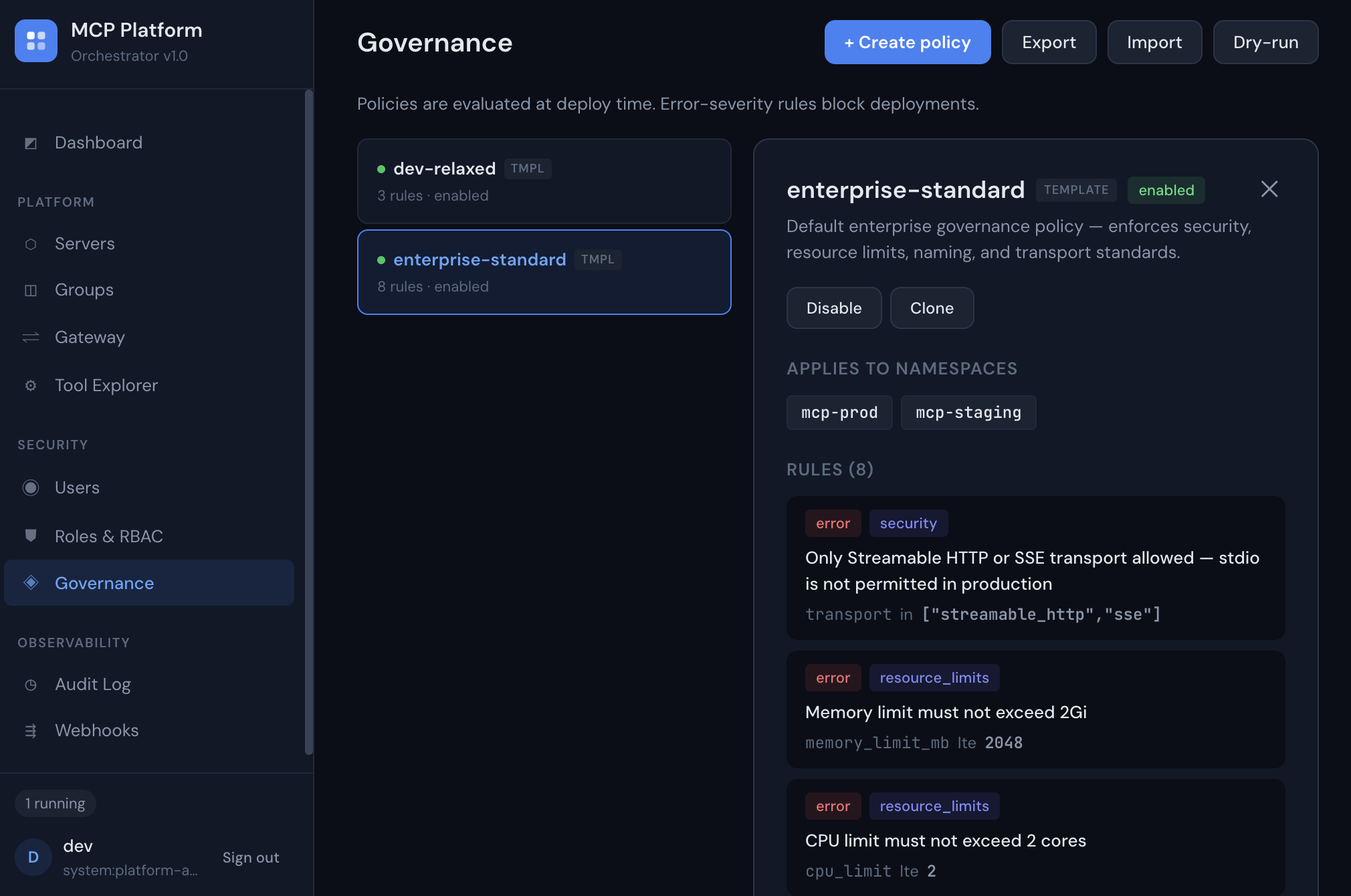
Enforce policy before anything reaches production

Namespace-scoped governance policies evaluate every deployment at deploy time. Error-severity rules block non-compliant servers. Warnings flag for review.

  • Different policies for prod vs dev environments
  • Resource limits, transport rules, naming standards
  • Dry-run evaluator for pre-flight checks
  • Export/import policies across clusters
Governance Policies
The full server lifecycle —
in your Kubernetes cluster
Deploy, registry, gateway, governance, observability. One Helm chart. Apache 2.0. Most platforms cover one or two of these. Magertron covers all five.
A CLI that gets out
of your way
Single binary, zero dependencies. Deploy, scale, and evaluate governance from your terminal. Ships for macOS and Linux.
$ mcpctl login https://mcp.acme.internal admin
Logged in as admin (system:platform-admin)

$ mcpctl deploy code-assistant mcp-prod ghcr.io/acme/code-assistant --tag v2.1 --team platform
Deploying code-assistant to mcp-prod...
Server deployed (state: Running)

$ mcpctl governance evaluate spec.json --namespace mcp-prod
ALLOWED
⚠ Mutating tools detected — review required before production use

$ mcpctl servers
NAME NAMESPACE STATE REPLICAS IMAGE
code-assistant mcp-prod Running 2/2 ghcr.io/acme/code-assistant:v2.1
search-tool mcp-prod Running 3/3 ghcr.io/acme/search:latest
doc-retriever mcp-staging Running 1/1 ghcr.io/acme/docs:v1.4
Homebrew macOS · Linux
Cleanest install if you have brew:
$ brew install magertron/tap/mcpctl
curl one-liner macOS · Linux
No package manager required:
$ curl -fsSL https://magertron.com/install-mcpctl.sh | sh
Debian / Ubuntu apt · amd64 · arm64
One-time setup
$ curl -fsSL https://magertron.com/apt/magertron-archive-keyring.gpg | sudo tee /etc/apt/trusted.gpg.d/magertron-archive-keyring.gpg > /dev/null
$ echo "deb [signed-by=/etc/apt/trusted.gpg.d/magertron-archive-keyring.gpg] https://magertron.com/apt stable main" | sudo tee /etc/apt/sources.list.d/magertron.list
$ sudo apt update
Install
$ sudo apt install mcpctl
RHEL / Fedora / Rocky dnf · x86_64
One-time setup
$ sudo curl -fsSL https://magertron.com/yum/magertron.repo -o /etc/yum.repos.d/magertron.repo
Install
$ sudo dnf install mcpctl
Or download a binary directly
macOS arm64 · macOS amd64 · Linux amd64 · Linux arm64
View latest release →
Apache 2.0 licensed. Source at magertron/orchestrator/mcpctl. Free for all customers. Commands that hit Pro or Enterprise features will return a clear license error unless your orchestrator is licensed for them.
Choose your plan
Start free with core server management. Scale to Pro for a single team running their own MCP servers — or Enterprise for identity, compliance, and platform-team needs.
Open Source
Free
Free forever · Apache 2.0
Up to 20 MCP servers · No signup · No credit card
  • Deploy and manage MCP servers
  • Health monitoring & metrics
  • Envoy gateway with xDS
  • Helm chart deployment
  • CLI tool (mcpctl) — Apache 2.0
  • Basic RBAC (admin + viewer)
  • Community support via GitHub
  • Live metrics charts
  • Namespace isolation
  • SSO & SCIM provisioning
  • Governance policies
  • Webhooks & audit trail
Get started on GitHub →
Commercial
Enterprise
Contact us for pricing
Unlimited servers · For identity, compliance & platform teams
  • Everything in Pro, plus:
  • SSO (OIDC & SAML) — Okta, Azure AD, Google
  • SCIM 2.0 automated user provisioning
  • Just-in-time user provisioning on first login
  • Governance policy engine
  • Quarantine kill switch & bulk approvals
  • Multi-tenant namespace isolation
  • Advanced telemetry (SIEM, Datadog, Splunk)
  • Governance policy export/import
  • Multi-cluster federation
  • Air-gapped deployment
  • Priority support with SLA
  • Dedicated onboarding & custom integrations
  • Custom procurement (PO, MSA, security review)
Contact sales →

Ready to manage AI
at enterprise scale?

Start free on GitHub, or talk to us about Pro and Enterprise.

Schedule a Demo → View on GitHub →