Add your servers
One setting, and the extension does the rest.
- Mint a service-account token in the developer portal at
/portal - In Devin, open Settings and search
magertron - Paste the token into Magertron: Token
- Restart Devin
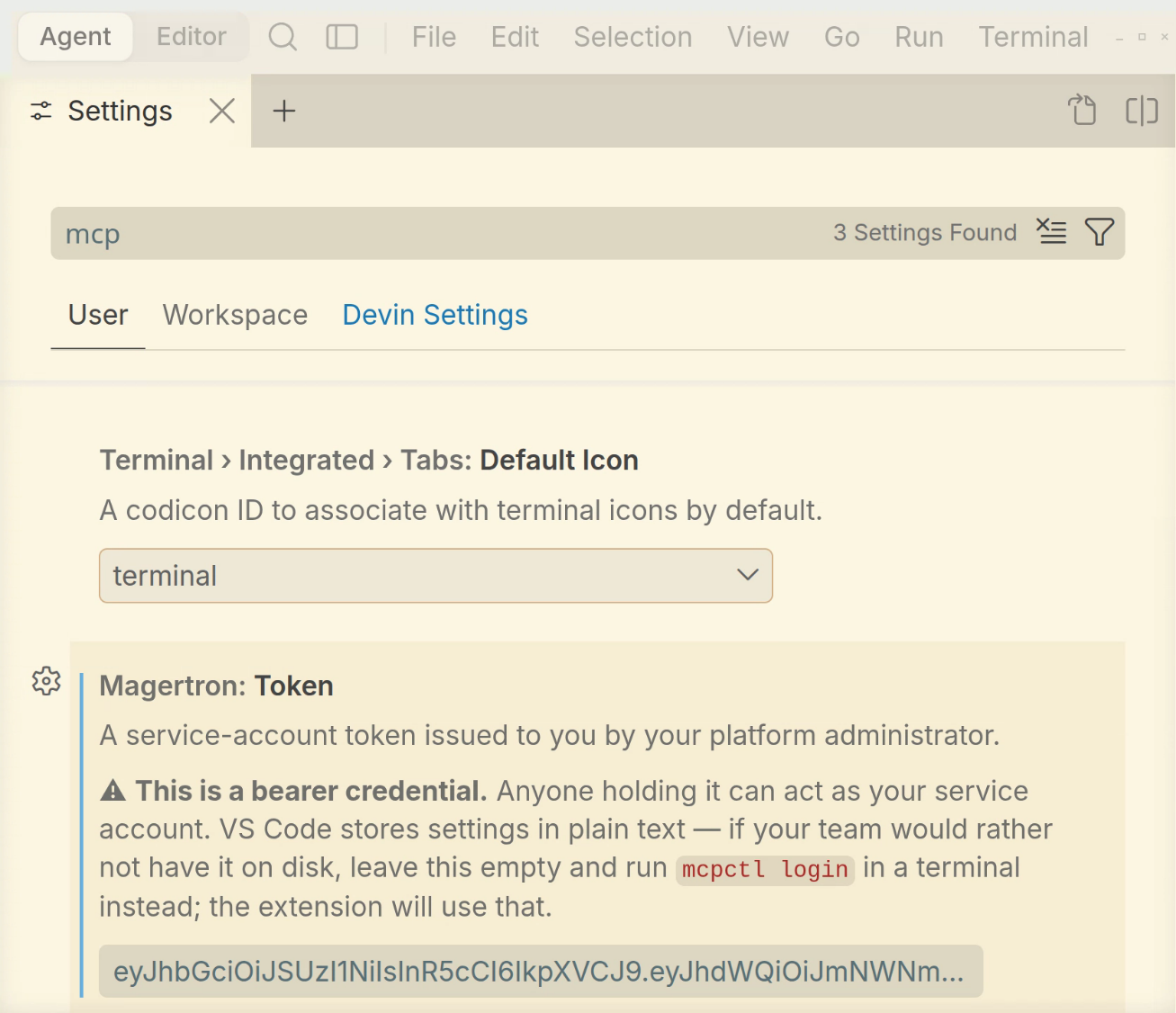
There is no command to run. On startup the extension asks the gateway what your roles can reach and writes every one of them — across every namespace you are entitled to — into Devin’s MCP config. Servers you cannot reach are not in the file, because they were never in the answer.
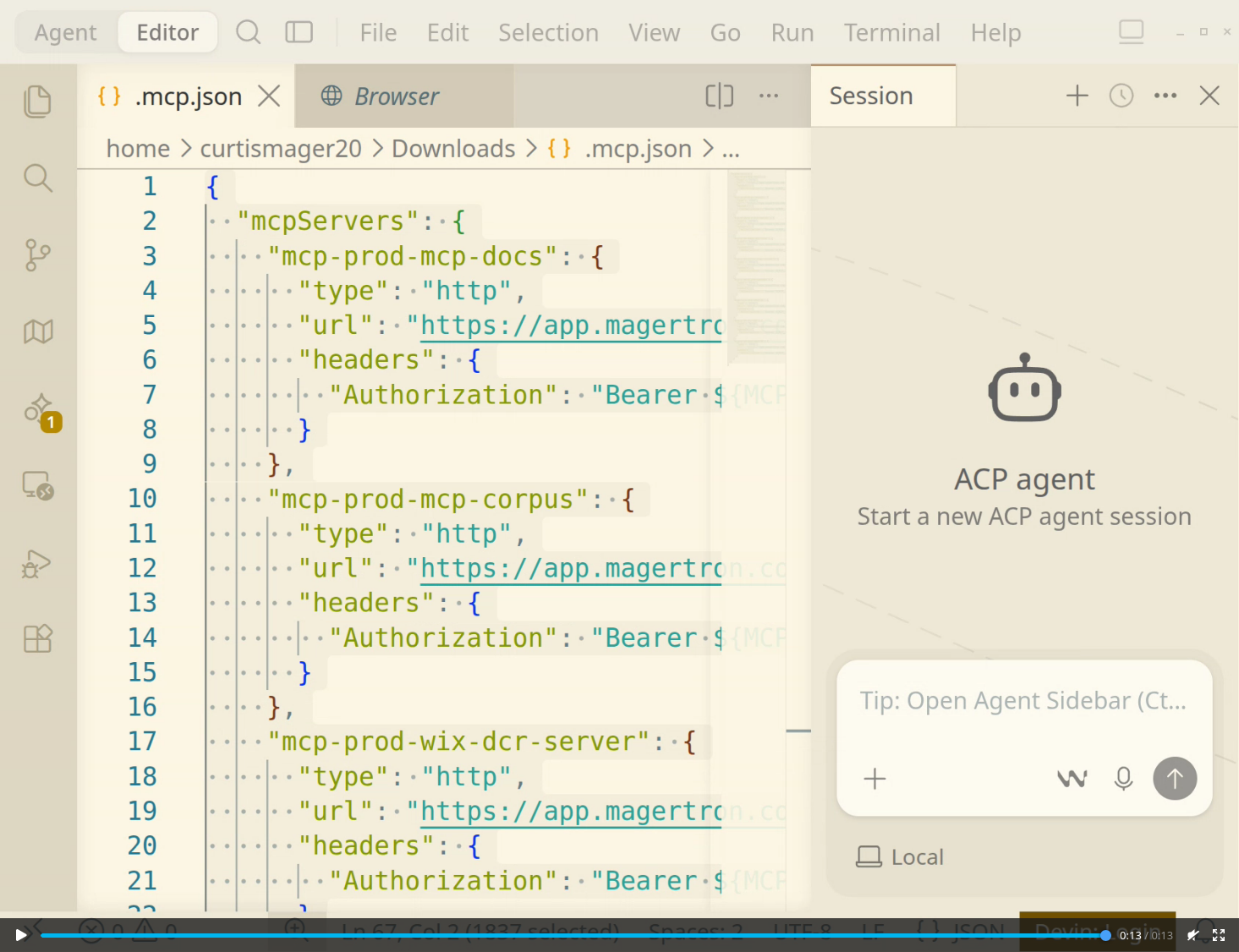
${MCP_TOKEN}, so it is safe to commit to a repository or
paste into a chat. Export the token in your shell profile and start Devin
from that shell.
Submit a server you built
The other direction, and it uses the extension rather than a config file.
From a terminal
devin-desktop --install-extension magertron-submit-<version>.vsix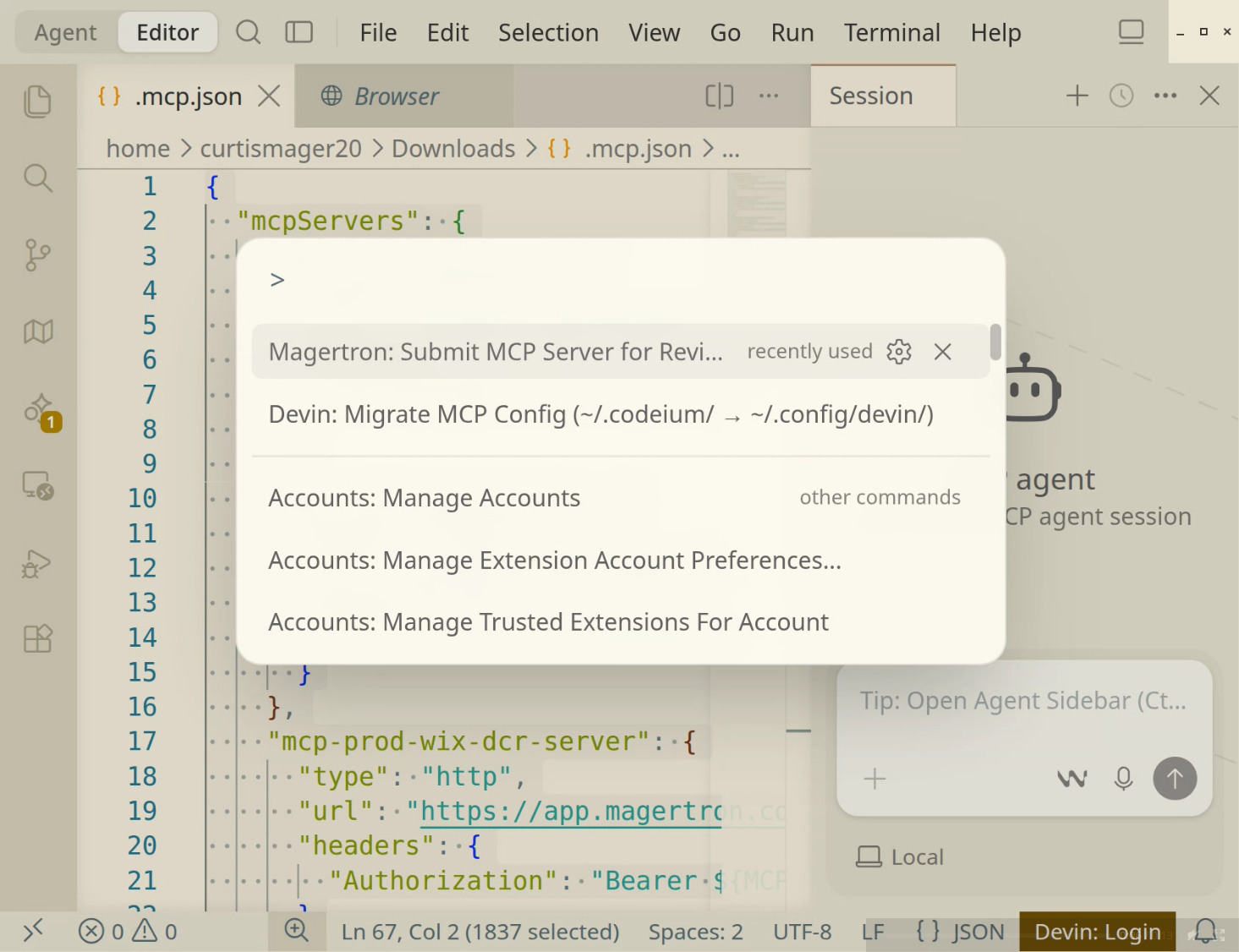
Migrate MCP Config sits beside it — it moves a config from Windsurf’s path, and has nothing to do with the gateway.One extension, every editor. Devin Desktop is a VS Code fork and runs it unchanged — the same file installs in Cursor, VS Code and Windsurf. There is no separate build and no Devin-specific version to keep current.
Your platform team can see this laptop
Worth knowing, rather than discovering.
If your organization runs Magertron's endpoint inventory, the MCP config on this machine is read on a schedule and matched against what has been approved — whether it points at the gateway, straight at a vendor, or at a route that no longer exists. Nothing resident is installed; it rides the endpoint management your IT team already runs.
No Magertron installed yet?
Run the orchestrator in your own sandbox and point Devin at it.
# add the chart repository
helm repo add magertron https://magertron.com/charts
helm repo update

# install into a new namespace
helm install mcp magertron/mcp-orchestrator \
  --namespace mcp-system --create-namespace
Starts in Free Tier. No license required. More at magertron.com/charts.
Also available for Cursor, VS Code and Claude Code.