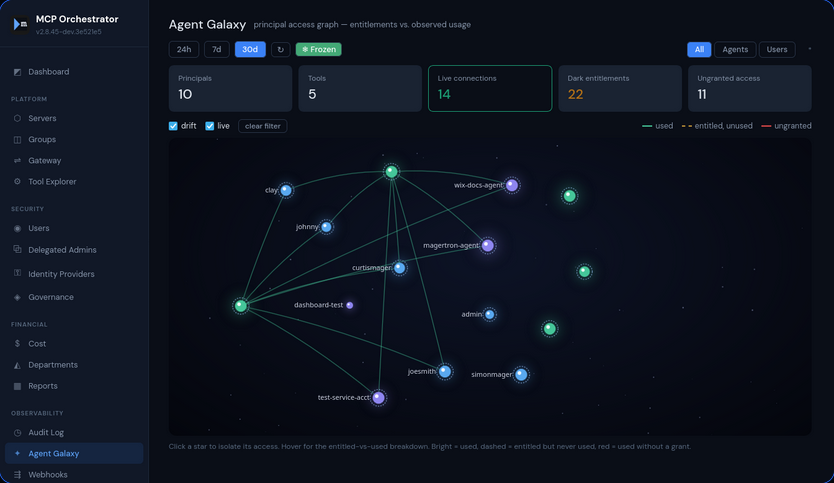
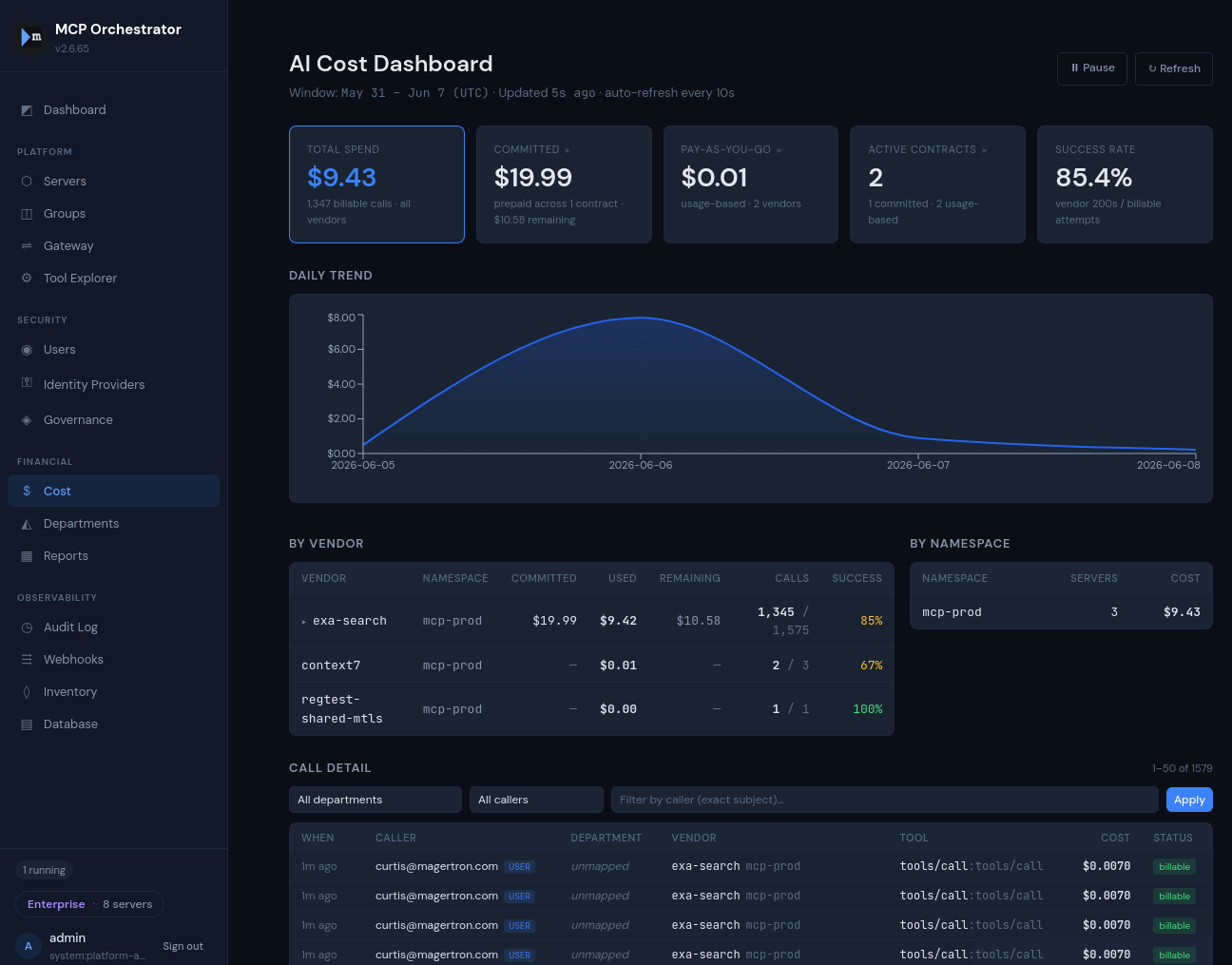
Now available — v4.2.54
NEW: OPA Support

The AI spend plane
for the token economy.

Your agents call tools. Those tools touch data. Magertron governs both — and knows which tool touched which table, for whom, and what it cost. One gateway for model inference and tool calls across every vendor.

Free up to 20 servers — no signup, no credit card.

✦ AI Orchestrator Assistant Advisory · read-only · grounded in live platform state
▋
▋

Trusted by

Install in 5 minutes
# Bare Ubuntu box — installs k3s, helm and Magertron
$ curl -fsSL https://magertron.com/bootstrap.sh | sudo bash -s -- \
      --api-public-url https://mcp.example.com

# Already have a Kubernetes cluster
$ git clone https://github.com/magertron/orchestrator.git
$ cd orchestrator
$ ./install.sh                                  # Free tier — no license needed
$ ./install.sh --license /path/to/license.json  # With a license
Rogue MCP servers are already inside your network

Developers are spinning up ungoverned MCP servers on laptops, in personal cloud accounts, and inside your perimeter — with no audit trail and no controls. AI agents talking to these servers can execute actions at scale.

Now you can find them. Magertron™ reads MCP client configs on every endpoint you manage, shows you every server in use — approved or not — and points them at the gateway with a single policy change. No resident agent on the laptop — a script and a timer, delivered by the MDM you already run.

See how ToolScout™ finds them →
THREAT VECTOR 01
External AI agents
AI agents outside your perimeter reaching ungoverned internal MCP servers. Perimeter firewalls catch these — but only if the agent actually crosses the perimeter, and only if the MCP server is registered as a public service.
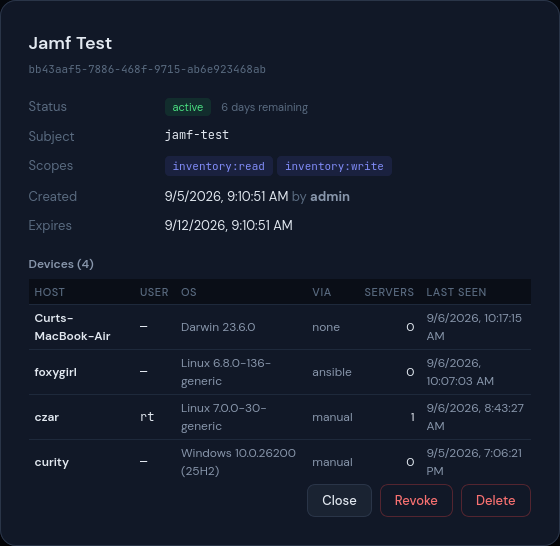
Magertron fleet devices — one integration token, four endpoints across macOS, Linux and Windows reporting their MCP client configs, with delivery method and last check-in per device

Every model, API, stream and tool call. One policy plane.

Swipe to see the full diagram →

Your stack MCP clients Claude · Cursor · custom Models — BYOK Anthropic · OpenAI · Ollama Frameworks — BYOAF LangChain · CrewAI · yours every call Magertron control plane Envoy v3 data plane ext_authz Identity resolution human subject + agent service account Dual-principal authorization agent grants ∩ human grants — never the union Securable resolution catalog → schema → table · explicit deny wins Meter, rate & budget-cap per call allowed Governed surfaces MCP servers REST APIs Event streams Kafka · ZeroMQ LLM providers Tools Catalog securables catalog / schema / table On every decision Audit trail immutable Chargeback per dept / user Drift checks tool definitions Policy as code Terraform

Enforcement lives in the Envoy ext_authz path. Every call crosses the same boundary — whether it lands on an MCP tool, a REST endpoint or an inference provider.

Full lifecycle control for every server you run

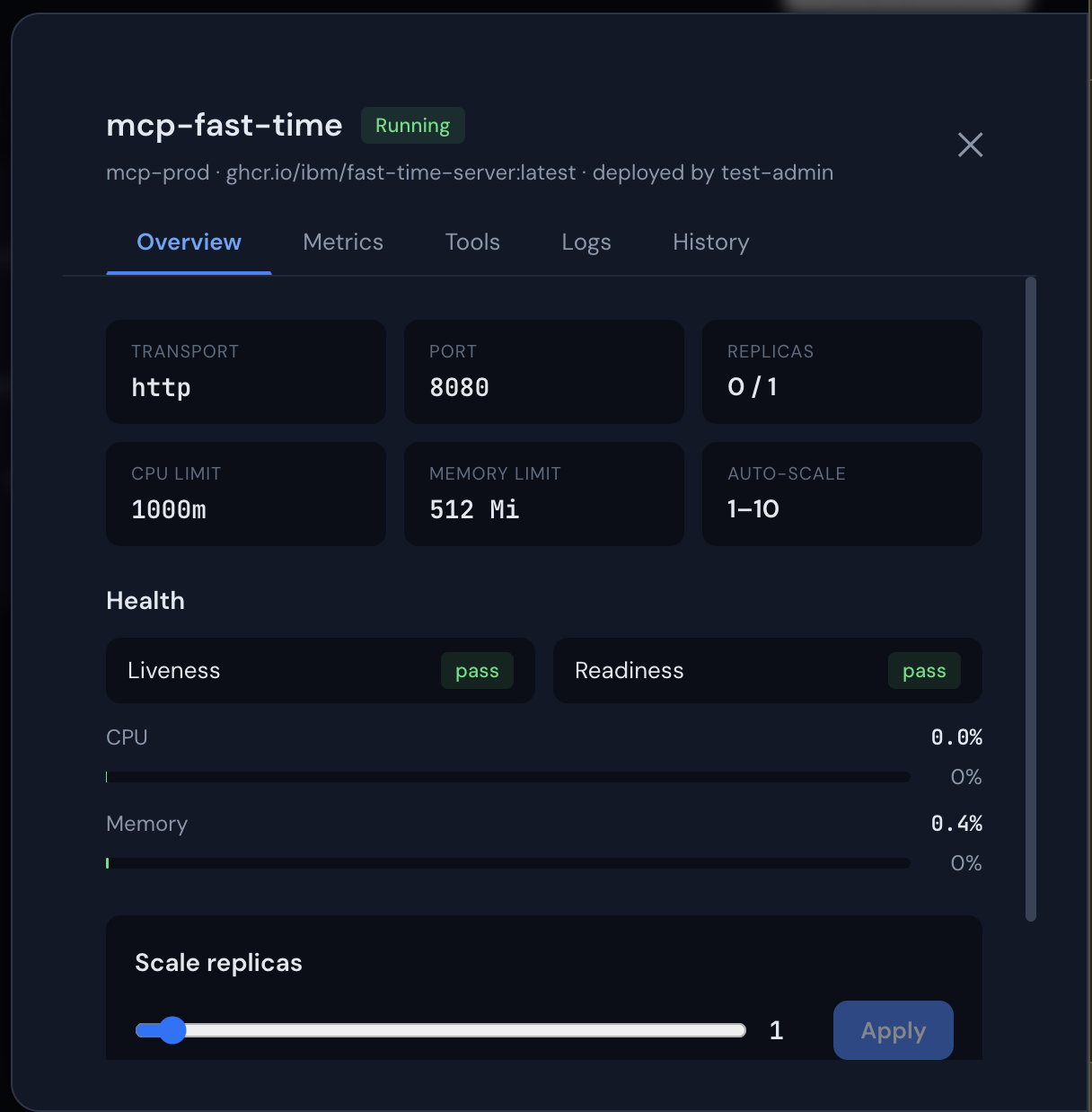
Deploy MCP servers and LLM pods from any container image, monitor real-time CPU and memory metrics, and scale with a slider. Every action is audited.

  • Live metrics charts polling every 5 seconds
  • Real pod logs from Kubernetes API
  • One-click rollback from deployment history
  • Rolling restart with zero downtime
Server Detail Panel

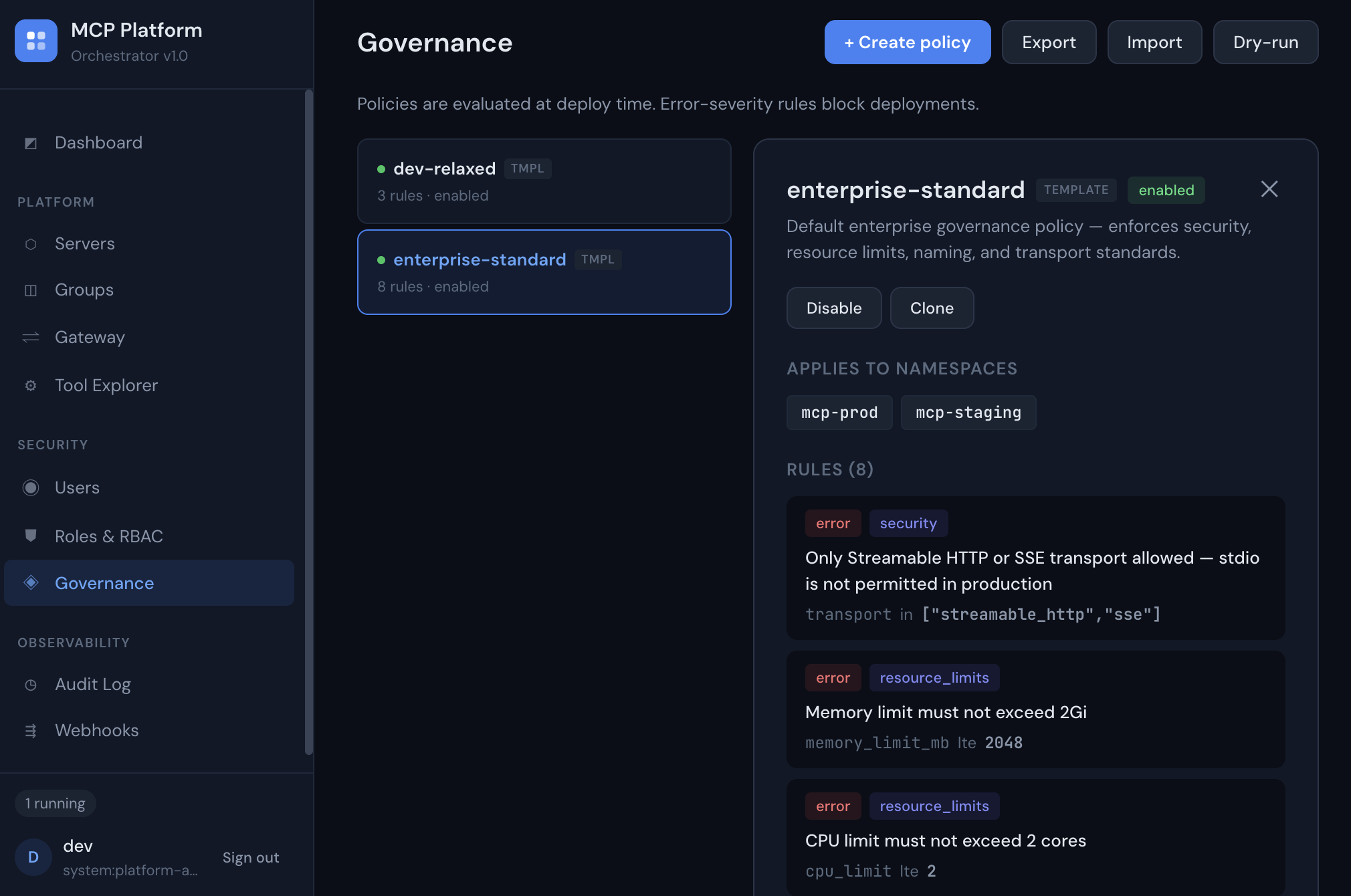
Enforce policy before anything reaches production

Namespace-scoped governance policies evaluate every deployment at deploy time. Error-severity rules block non-compliant servers. Warnings flag for review.

  • Different policies for prod vs dev environments
  • Resource limits, transport rules, naming standards
  • Dry-run evaluator for pre-flight checks
  • Export/import policies across clusters
Governance Policies
The full server lifecycle —
in your Kubernetes cluster
Deploy, registry, gateway, governance, observability. One Helm chart. Most platforms cover one or two of these. Magertron covers all five.
A CLI that gets out
of your way
Single binary, zero dependencies. Deploy, scale, and evaluate governance from your terminal. Ships for macOS and Linux.
$ mcpctl login https://mcp.acme.internal admin
✓ Logged in as admin (system:platform-admin)

$ mcpctl deploy code-assistant mcp-prod ghcr.io/acme/code-assistant --tag v2.1 --team platform
Deploying code-assistant to mcp-prod...
✓ Server deployed (state: Running)

$ mcpctl governance evaluate spec.json --namespace mcp-prod
✓ ALLOWED
⚠ Mutating tools detected — review required before production use

$ mcpctl servers
NAME NAMESPACE STATE REPLICAS IMAGE
code-assistant mcp-prod Running 2/2 ghcr.io/acme/code-assistant:v2.1
search-tool mcp-prod Running 3/3 ghcr.io/acme/search:latest
doc-retriever mcp-staging Running 1/1 ghcr.io/acme/docs:v1.4

mcpctl is a signed Go binary — install it below. There are unrelated mcpctl packages on npm and PyPI; neither is ours.

Homebrew macOS · Linux ▸
Cleanest install if you have brew — and the only one that upgrades itself:
$ brew trust magertron/tap
$ brew install magertron/tap/mcpctl
Homebrew 6 asks you to trust any tap outside its core before it will load a formula, because a formula is code that runs on your machine. One command, once. Afterwards brew upgrade keeps mcpctl current.
curl one-liner macOS · Linux ▸
No package manager required:
$ curl -fsSL https://magertron.com/install-mcpctl.sh | sh
Debian / Ubuntu apt · amd64 · arm64 ▸
One-time setup
$ curl -fsSL https://magertron.com/apt/magertron-archive-keyring.gpg | sudo tee /etc/apt/trusted.gpg.d/magertron-archive-keyring.gpg > /dev/null
$ echo "deb [signed-by=/etc/apt/trusted.gpg.d/magertron-archive-keyring.gpg] https://magertron.com/apt stable main" | sudo tee /etc/apt/sources.list.d/magertron.list
$ sudo apt update
Install
$ sudo apt install mcpctl
RHEL / Fedora / Rocky dnf · x86_64 ▸
One-time setup
$ sudo curl -fsSL https://magertron.com/yum/magertron.repo -o /etc/yum.repos.d/magertron.repo
Install
$ sudo dnf install mcpctl
Or download a binary directly
macOS arm64 · macOS amd64 · Linux amd64 · Linux arm64
View latest release →
Apache 2.0 licensed. Source at magertron/orchestrator/mcpctl. Free to download; connecting it to an orchestrator requires a Pro or Enterprise license — mcpctl login is refused on the Free tier, and commands that reach higher-tier features return a clear license error naming the tier they need.