Magertron™ ToolScout

Find every MCP server in your networkThen govern their tools

Developers add MCP servers to Claude, Cursor, VS Code and Devin every day, and nobody approves them. Magertron™ reads the MCP configs on every laptop you manage, through the MDM you already run, and shows you every server in use, approved or not.

From the laptop to the gateway: how Magertron finds and governs MCP servers AI clients on managed laptops hold MCP server configs. The company's MDM delivers a small script that reads them on a timer and reports to Magertron's fleet inventory. Approved servers are governed at the Magertron gateway; unknown ones go to an admin for review. On every laptop Your MDM In your cluster AI clients and agents each holds a list of MCP servers Claude Desktop Claude Code Cursor VS Code Devin macOS, Windows, Linux no resident agent installed Jamf · Intune · Ansible delivers a small script and a timer; it reads the MCP configs and reports with a write-only token Magertron™ fleet inventory every device, every MCP server in use Per device hostname, user, OS, last check-in Per server approved or unknown, who uses it What happens next Approved servers pointed at the gateway by policy: identity, rules, metering and audit on every call Unknown servers flagged for an admin, with the devices and people using them One integration token for the whole fleet. Revoke it and reporting stops.
configs reported, approved servers governed unknown servers sent for review

Every MCP server your MDM finds, waiting for your review
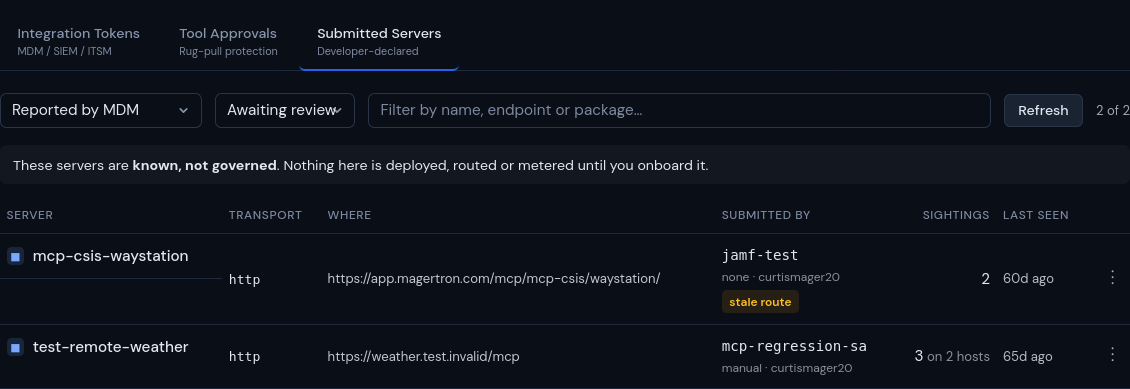
Magertron's Submitted Servers view: MCP servers reported by MDM and awaiting review, with transport, endpoint, who reported them, sightings and last seen. Known, not governed until onboarded.
Try it now Read the security guide